 God Studios Sale
Save 10% Limited time. Use the code before it ends!
God Studios Sale
Save 10% Limited time. Use the code before it ends!
0DAYS
00HRS
00MINS
00SECS

Performance-first FiveM systems with polished interfaces, practical configuration and multi-framework support.
![[Jeikobu - Market Robbery] esx qbcore qbox](http://dunb17ur4ymx4.cloudfront.net/packages/images/cedeb963a9ee1172efb503a3eaa391000534b91a.png)
€8.99
CROWBAR ROBBERY
Break open cash registers using a crowbar and collect stolen money. Eliminate the store clerk and search the body for a chance to obtain the market's unique safe key. Unlock the rear safe, complete the interactive 3D safe-cracking minigame, and collect additional rewards.
ARMED RESISTANCE
Not every cashier will surrender. Store clerks can draw firearms and fight back, turning ordinary robberies into unpredictable armed confrontations. Configure resistance probability from 0% to 100% through the Admin Panel, with global settings or individual market overrides. Armed resistance can occur during either robbery approach.
SHOOT & ROB
Forget the crowbar and use firepower. Shoot cash registers to break them open and collect their contents. Eliminate the store clerk, search the body for a chance to recover the safe key, and continue toward the rear safe. Experience an aggressive alternative to traditional crowbar robberies.
20 MARKETS & UNIQUE SAFE KEYS
Explore 20 preconfigured market locations across Los Santos and Blaine County. Each store has its own numbered safe key, making every location a separate robbery objective. Discover keys by searching defeated clerks or collecting cash bags, with independently configurable drop chances.
INTERACTIVE 3D SAFE CRACKING
Unlock rear safes through a custom 3D combination dial minigame. Adjust the time limit, required dial movements, and maximum allowed mistakes to control difficulty. Market-specific keys, animated safe opening, and synchronized cash collection create an immersive robbery experience.
ADVANCED IN-GAME ADMIN PANEL
Manage the entire robbery system directly through /marketadmin. Enable or disable individual stores, customize all 20 markets, monitor active robberies and cooldowns, set waypoints, and reset individual or global robbery states. Apply global settings, create market-specific overrides, restore defaults, and save changes without manually editing configuration files.
COMPLETE GAMEPLAY & ECONOMY CONFIGURATION
Customize NPC resistance, weapon requirements, cash register and rear safe rewards, key drop probabilities, key consumption, robbery cooldowns, and cash collection duration. Fine-tune safe-cracking time, required turns, and permitted mistakes. Choose cash or inventory-based currency rewards to balance the robbery experience for your server economy.
FRAMEWORK & INVENTORY COMPATIBILITY
Supports QBCore, Qbox, ESX Legacy, and Standalone with custom integration. Compatible with ox_inventory, qb-inventory, ESX native inventory, and custom adapters. Interaction options include Jeikobu Interact, ox_target, qb-target, custom providers, and built-in text interaction. Includes English, Turkish, German, Spanish, and Arabic language support.
MULTIPLAYER, SECURITY & PERFORMANCE
Built for synchronized multiplayer robberies with server-side reward validation, secure key handling, persistent SQL configurations, and cooldowns. Supports configurable police requirements and optional dispatch integration. Requires oxmysql, MySQL/MariaDB, OneSync, GTA V build 2802 or newer, and registration of the 20 numbered safe key items. Protected through Cfx.re Asset Escrow with editable configuration and integration files.
Full installation instructions and integration documentation are available at:
![[Jeikobu - ATM Robbery] esx qbcore qbox](http://dunb17ur4ymx4.cloudfront.net/packages/images/9aac666b4b71b2a1e7e0c3c2a2f9e8c034400e20.png)
€8.99
Turn ordinary ATMs into interactive robbery opportunities with a fast, skill-based and fully configurable robbery system.
God – ATM Robbery brings an immersive ATM robbery experience to your FiveM server with an interactive crowbar minigame, money pickup mechanics and a powerful in-game editor.
Server owners can change the entire robbery experience directly inside the game without editing config files or touching code.
Create easy, normal or high-pressure ATM robberies and control exactly how the minigame and rewards work.
What Players Can Do
• Rob ATMs using a crowbar
• Complete an interactive skill-based minigame
• Progress through multiple robbery stages
• Collect money directly from the robbery
• Move between ATMs and repeat robberies
• Experience different robbery difficulties
• Risk breaking the crowbar during the robbery
Advanced In-Game Editor
Configure the ATM robbery directly inside the game.
No coding required.
Server owners can instantly change:
• How many stages
• E presses each stage
• Time to finish
• Progress goes back
• Wait before going back
• Crowbar break chance
• Minimum money to earn
• Maximum money to earn
• Time to pick up money
• Money collection settings
Changes can be managed directly from the in-game interface without manually editing configuration files.
Difficulty Presets
Quickly switch between predefined robbery difficulties.
• Easy
Relaxed robbery experience
• Normal
Balanced robbery experience
• Hard
Higher pressure and more difficult gameplay
Server owners can also fine-tune every setting manually.
Key Features
Interactive ATM Robbery
Modern ATM robbery gameplay designed for immersive FiveM roleplay.
Skill-Based Minigame
Players must complete multiple stages and timed E presses to successfully continue the robbery.
Advanced In-Game Editor
Manage robbery difficulty, timing, progression and rewards directly inside the game.
Custom Stage System
Control how many robbery stages players must complete.
Custom E Press System
Choose how many successful E presses are required for each stage.
Progress System
Configure how quickly progress goes backwards when the player stops.
Custom Timing
Control the total robbery time and the delay before progress starts going backwards.
Crowbar Break Chance
Set the chance of the crowbar breaking during a robbery.
Custom Money Rewards
Control the minimum and maximum amount of money players can earn.
Money Pickup System
Configure how long money takes to collect and customize money collection behavior.
Easy / Normal / Hard Presets
Quick difficulty profiles allow server owners to change the robbery experience instantly.
Fully Configurable
Customize the robbery experience to match your server economy and gameplay style.
Framework Compatibility
Standalone
QB-Core
ESX
Qbox
Easy Server Integration
Designed to work across different FiveM server setups while keeping installation and configuration simple.
No Coding Required
The advanced editor allows server owners to control the main ATM robbery settings directly in-game.
You don't need to edit code every time you want to change the difficulty, timing or rewards.
Designed for Server Owners
Easily create the robbery balance that fits your server.
Want fast and simple robberies?
Lower the difficulty.
Want high-risk robberies?
Increase the stages, required presses, progress loss and crowbar break chance.
Want to rebalance your economy?
Change the money rewards directly from the editor.
Resources
Youtube Showcase
Gitbook
Join Discord
Escrow Protected
Optimized Performance
Multiplayer Ready
![[Jeikobu - Interaction] esx qbcore qbox](http://dunb17ur4ymx4.cloudfront.net/packages/images/4862c078fb59305699ff0b822bb5bc0da395e9c8.jpg)
€6.99
A modern, framework-independent interaction system built for FiveM servers that need a reliable, flexible and highly optimized way to handle world, entity and vehicle interactions.
Jeikobu Interact provides a complete interaction API with support for multiple target types, framework-based permissions, secure server-side actions, legacy compatibility and a built-in administration panel.
Whether you are building a small standalone server or a large-scale Qbox, QBCore, ESX or ox_core server, Jeikobu Interact gives your resources a clean and consistent interaction layer without forcing you to depend on a third-party targeting or UI resource.
• Framework-independent architecture
• Qbox, QBCore, ESX Legacy and ox_core support
• Full standalone support
• Built-in interaction UI
• Multiple world and entity target types
• Secure server-side actions
• Legacy targeting API compatibility
• Job, gang and group-based access control
• Built-in vehicle interaction support
• Configurable interaction distances and runtime limits
• Automatic cleanup when resources stop
• Multi-language support
• Built with performance and security in mind
Create interactions exactly where and how you need them.
• Point
• Sphere
• Box
• Polygon
• Local Entity
• Network Entity
• Model
• Global Ped
• Global Player
• Global Vehicle
• Global Object
Entity interactions can also use:
• Entity bones
• Custom offsets
• Custom position resolvers
• Network entity IDs
• Model-based targeting
This allows you to create precise interactions for everything from NPCs and props to vehicle doors, trunks, bonnets and other specific entity parts.
Jeikobu Interact includes an optional built-in vehicle interaction module.
When enabled, your server can provide interactions for:
• Vehicle doors
• Bonnet
• Trunk
Vehicle interactions can use specific vehicle bones and are protected by configurable distance and cooldown limits.
The vehicle module is disabled by default so servers only enable the functionality they actually need.
Control who can see and use individual interactions.
Access rules support:
• Jobs
• Gangs
• Groups
• Minimum grades
• Any / All access modes
• Option-level permissions
• Target-level permissions
Examples:
• Police-only interactions
• Mechanic-only vehicle options
• EMS services
• Gang-controlled areas
• Admin-only interactions
Standalone servers can also provide their own player groups through the included API.
Security is built directly into the interaction architecture.
Jeikobu Interact provides dedicated secure server actions with validation for:
• Player distance
• Network entities
• Entity types
• Group permissions
• Action cooldowns
• Payload size
• Payload depth
• String length
• Custom server-side validation
Sensitive operations should be handled through secure server actions rather than trusting client-side data.
Server handlers are executed only after the configured validation rules have passed.
This makes Jeikobu Interact suitable for interactions involving:
• Money
• Inventory
• Ownership
• Permissions
• Persistent data
• Other sensitive server-side operations
Jeikobu Interact is designed around controlled scanning and runtime limits.
The system separates interaction checks from world scanning and provides configurable limits for:
• Interaction probe interval
• World scan interval
• World scan range
• Aim distance
• Aim radius
• Option cooldowns
• Maximum options per target
• Maximum visible interaction pins
Default configuration is designed to provide a balance between responsiveness and client performance.
Production limits can be adjusted depending on your server's needs.
Entity interactions can require the player to aim directly at the target.
The system includes dedicated entity aiming logic with configurable:
• Aim distance
• Aim radius
• Entity targeting requirements
This allows interactions to behave naturally without displaying every available interaction around the player at once.
Jeikobu Interact is designed to be integrated into other resources through a clean export-based API.
Developers can:
• Register interactions
• Remove interactions
• Update interaction options
• Enable / disable individual targets
• Enable / disable the interaction system
• Check interaction visibility
• Set player groups
• Detect the active framework
• Register secure server actions
• Remove secure server actions
Each interaction can also define:
• Custom titles
• Client events
• Server events
• Secure server actions
• Client callbacks
• Conditional visibility
• Vehicle usage behavior
• Access requirements
Already using an older interaction API?
Jeikobu Interact includes compatibility support for legacy-style interaction exports and automatically converts common legacy fields.
Supported compatibility fields include:
• label
• action
• onSelect
• event
• serverEvent
• canInteract
• distance
• interactDst
• groups
• job
• bone
• bones
• offset
Legacy exports are supported directly through Jeikobu Interact, making migration easier for existing resources.
Jeikobu Interact includes a built-in administration panel for configuring interaction appearance settings.
The panel can be opened with:
/interactadmin
Admin access can be controlled through:
• ACE permissions
• Framework permissions
• Qbox
• QBCore
• ESX
• ox_core
The dedicated ACE permission is:
jeikobu_interact.admin
The system supports both ACE and framework-based authorization, allowing server owners to choose the permission method that fits their server.
Jeikobu Interact supports:
• Qbox
• QBCore
• ESX Legacy
• ox_core
• Standalone
Automatic framework detection is included.
When using automatic detection, the resource checks frameworks in the following order:
Qbox → QBCore → ESX → ox_core → Standalone
An explicit framework can also be selected through the configuration.
Built-in language support includes:
• English
• Turkish
• German
• Spanish
• Arabic
Individual texts can also be overridden without modifying the original language files.
A centralized configuration system gives server owners control over:
• Framework selection
• Language
• Key bindings
• Interaction distances
• Scan intervals
• Runtime limits
• Cooldowns
• Entity aiming
• Player state restrictions
• Vehicle interactions
• Security limits
• Admin permissions
• Admin appearance limits
Interactions can also be temporarily disabled automatically when the player is:
• Dead
• Using NUI
• Cuffed
• Inside a vehicle
• FiveM Server
• Current FiveM Server Artifact
• OneSync
Framework support is optional.
Supported frameworks:
• Qbox
• QBCore
• ESX Legacy
• ox_core
Standalone servers require no framework.
Jeikobu Interact does not require a third-party targeting, UI or utility resource.
The interaction system, UI and core functionality are included within the resource itself.
jeikobu_interact.Config.Framework if required, or use automatic detection.config.lua.Example:
ensure qbx_core
ensure jeikobu_interact
Client-side data should never be trusted for sensitive operations.
When creating integrations involving money, inventory, permissions, ownership or persistent data, use the included secure server action system and perform the necessary server-side validation.
Keep Config.Debug disabled on production servers.
The resource includes API documentation covering:
• Interaction registration
• Target definitions
• Options
• Access control
• Secure server actions
• Legacy compatibility
• Interaction context
• Available exports
Need help with installation, configuration or integration?
Contact GOD Studios through our official support channels.
We provide support for the resource, installation and configuration-related issues.
A flexible interaction foundation for modern FiveM servers.
One interaction system. Multiple frameworks. Full control.
![[God - ATM Buy & Free MLO] esx qbcore qbox](http://dunb17ur4ymx4.cloudfront.net/packages/images/15e9da3365e1e89fd8a84edcf5bc804cdba2688a.png) Best Selling
Best Selling
€14.69
€24.90
Transform ordinary convenience stores into high-stakes criminal opportunities with GOD – Market Robbery, an advanced FiveM robbery system featuring three distinct gameplay approaches, interactive NPC behavior, breakable cash registers, market-specific safe keys, realistic cash collection animations, and a custom 3D safe-cracking minigame.
Whether players prefer a crowbar, an aggressive armed robbery, or an unpredictable confrontation with a resisting store clerk, every robbery brings a different experience.
With 20 preconfigured market locations and a comprehensive in-game Admin Panel, server owners can customize gameplay, rewards, NPC resistance, difficulty, and robbery settings without constantly editing configuration files.
Break In. Eliminate. Search. Crack the Safe.
Approach the store with a crowbar and physically break open its cash registers to collect money.
Eliminate the store clerk and search the body for a chance to discover the market's unique safe key.
If the key is found, access the rear safe, complete the interactive 3D safe-cracking minigame, and collect the remaining cash.
Not Every Cashier Will Surrender.
Turn a routine robbery into an unexpected gunfight.
With the configurable Armed Resistance Chance, store clerks can fight back using firearms instead of surrendering.
Administrators can adjust resistance probability from 0% to 100%, globally or individually for each market.
This allows server owners to create anything from relatively passive cashiers to highly dangerous robbery encounters.
No Crowbar. Just Firepower.
Players can use firearms to shoot open cash registers instead of breaking them with melee weapons.
Eliminate the store clerk, search the body for a chance to obtain the rear safe key, and continue the robbery.
This alternative approach allows players to complete an aggressive armed robbery without relying on the traditional crowbar method.
Three Robbery Approaches
Crowbar robberies, armed resistance encounters, and firearm-based register robberies create varied gameplay experiences.
20 Ready-to-Rob Stores
Twenty preconfigured market locations across Los Santos and Blaine County, each with individually configurable settings.
Dynamic Store Clerk AI
NPCs react to player threats, surrender, operate registers, or fight back depending on the situation and configured resistance probability.
Two Register Breaching Methods
Break cash registers with melee weapons or shoot them open using firearms.
Interactive Clerk Searching
Search a dead store clerk for a chance to discover the unique safe key associated with that market.
Cash Bag & Key Discovery
Collect cash bags during applicable robbery sequences, with configurable chances of discovering market-specific safe keys.
20 Unique Safe Keys
Every market has a dedicated numbered safe key. Keys are linked to their corresponding store.
Custom 3D Safe-Cracking Minigame
Interact with a custom 3D combination dial featuring adjustable difficulty, time limits, rotation steps, and permitted mistakes.
Realistic Cash Collection
Animated register and safe cash collection sequences make each robbery more immersive.
Complete In-Game Robbery Management
Access the administration panel using /marketadmin and control gameplay settings through a dedicated interface.
Global & Individual Market Settings
Apply settings to all markets or customize each of the 20 stores independently.
Armed Resistance Configuration
Adjust the chance of store clerks responding with armed resistance from 0% to 100%.
Minimum Weapon Requirements
Choose whether players can initiate robberies using melee weapons and firearms or require firearms only.
Safe Key Drop Chances
Independently configure the probability of discovering safe keys in cash bags and on dead store clerks.
Key Consumption Settings
Choose whether the market-specific safe key is consumed when opening the rear safe.
Cash Register Rewards
Configure minimum and maximum cash rewards earned from front cash registers.
Rear Safe Rewards
Set separate minimum and maximum rewards for successfully robbing the rear safe.
Safe-Cracking Difficulty
Customize the time limit, required combination steps, and maximum allowed mistakes in the 3D safe minigame.
Cash Collection Duration
Adjust how long players must spend collecting money from the rear safe.
Robbery Cooldowns
Control robbery availability and cooldown duration to balance your server economy.
Live Robbery Monitoring
View markets currently being robbed or on cooldown, including their remaining timers.
Individual & Global Robbery Reset
Reset a specific market's robbery state or reset all active robberies directly through the Admin Panel.
Market Activation & Map Navigation
Enable or disable individual market robberies and mark selected market locations on the in-game map.
Defaults & Market Overrides
Restore default settings, remove individual market overrides, and save configurations through the interface.
Multiplayer Synchronization
Shared robbery states and synchronized cash collection support multiplayer robbery gameplay.
Persistent SQL Storage
Market settings and cooldowns are saved in the database and maintained across resource restarts.
Police & Dispatch Integration
Configure minimum police requirements, police job detection, dispatch probability, and alert timing through the resource configuration.
Flexible Interaction Support
Supports Jeikobu Interact, ox_target, qb-target, custom interaction adapters, and a built-in text interaction system.
Cash & Item-Based Rewards
Choose direct cash rewards or inventory-based currency payouts according to your server economy.
Server-Side Validation
Reward claims, key operations, and robbery interactions are validated on the server to help prevent unauthorized payouts.
Multilingual Support
Includes English, Turkish, German, Spanish, and Arabic translations.
Optional integrations include target interaction and police dispatch resources.
Standalone installations require custom readiness and inventory integration, plus an economy callback when using cash payouts.
Complete Installation & Configuration Guide
https://god-studios.gitbook.io/god-studios/jeikobu-resources/jeikobu-market-robbery
Detailed documentation includes installation, framework setup, inventory compatibility, safe key configuration, Admin Panel usage, and custom integrations.
God Studios Discord
3 Robbery Scenarios | 20 Markets | Advanced Admin Panel | 3D Safe Cracking | Multiplayer Ready | Escrow Protected
![[God - Advanced Impound] esx qbcore qbox](http://dunb17ur4ymx4.cloudfront.net/packages/images/c4f07f547f2af0bb3ae45b68cb573e12ebd599da.png)
€9.90
God - Police Impound System | Escrowed
Advanced Vehicle Impound Management for FiveM Roleplay Servers
Compatible Frameworks🚓
• QBCore, ESX, Qbox
Supported Target Systems🎯
• qb‑target, ox_target, interact
Image Logging Options 🖼️
• Discord Webhook, Fivem Manage Image API
Features
• Radial Menu Integration: Seamlessly access the impound functions via qb‑radialmenu or qbx‑radialmenu.
• Customizable Impound Reasons: Configure detailed vehicle seizure reasons from minor infractions to felony-level offenses.
• Defined Impound Lot: Designate custom spawn and retrieval points for impounded vehicles.
• SQL Database Support: Securely store impound records, officer data, and impound durations.
• Inventory Integration: Includes a custom “jomidarcam” (Camera) item for evidence logging, compatible with qb‑inventory & ox_inventory.
• Configurable Job Restrictions: Ensures only authorized police personnel can utilize impound functionalities.
Requirements
• ox_lib: GitHub – overextended/ox_lib
• Radial Menu: Integration with qb‑radialmenu or qbx‑radialmenu is required.
• Inventory Systems: Requires qb‑inventory or ox_inventory for camera item support.
Installation Guide
1. Dependencies
2. Radial Menu Setup
3. Inventory Integration
4. SQL Database Setup
5. Configuration
6. Image Logging Configuration
• Camera Usage: Players must press the Enter key after opening the camera to capture evidence.
• Impound History NPC: The NPC for Impound History control must be placed by the server owner using the correct vector coordinates after placing the script. Ensure this is configured before starting the script.
• Impound Select System: The impound system provides two options:
Automatic Impound: The vehicle is immediately removed from its location and sent to the impound.
Call Impound Role: If the server has a dedicated impound role, the system can notify them instead (configurable via Notify settings). Officers must make this decision IC.
• Impound History Limitation: If the impounded vehicle is an NPC-spawned vehicle (not owned by a player), it will not be recorded in the Impound History System. This optimization prevents unnecessary load on the server database.
The product is in its beta version, so please remember that we can fix all bugs and issues. For any problems, please open a ticket on the God Studios Discord server and reach out for support.
Gitbook:
Impound System Documentation
Contacts:
Discord
Youtube
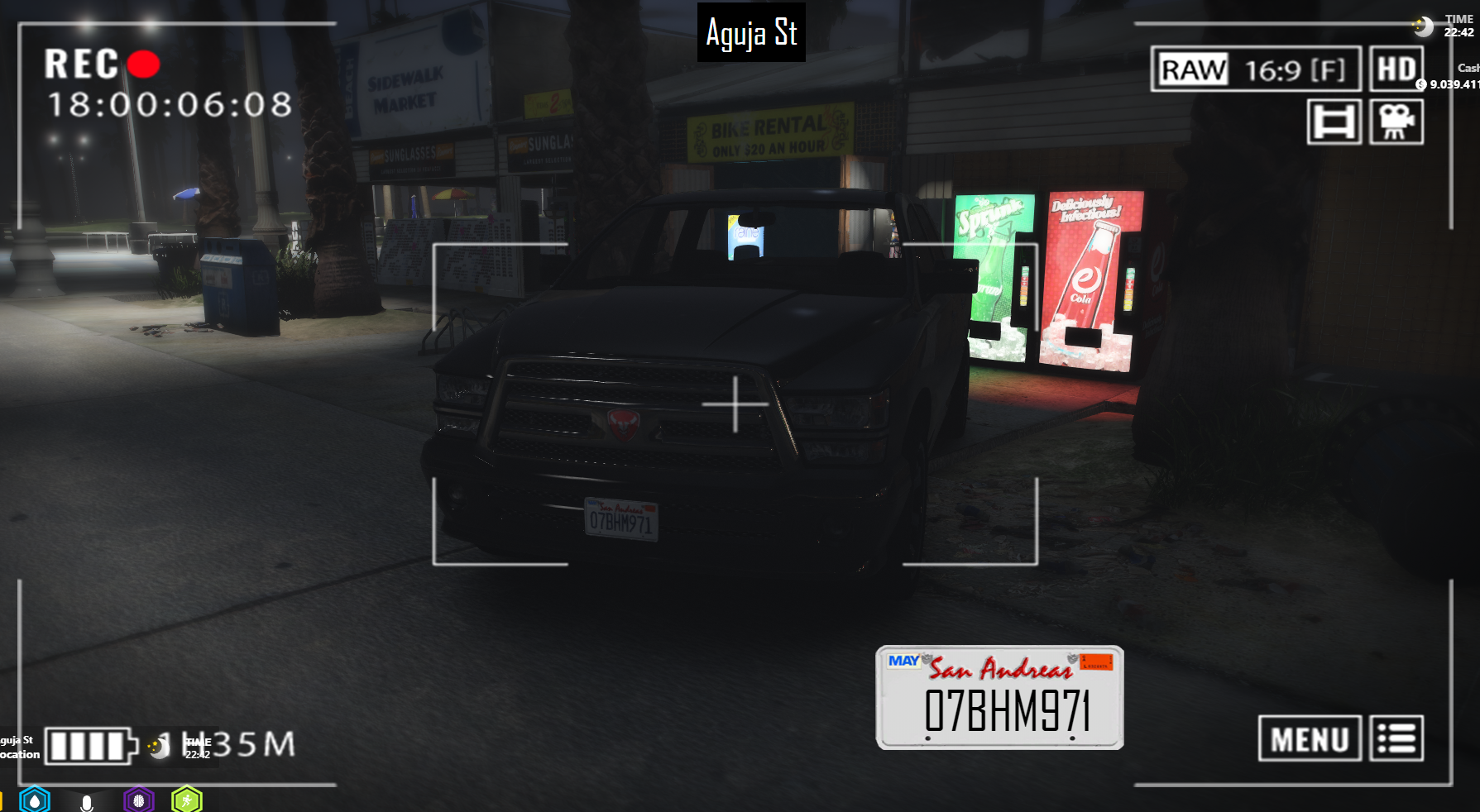
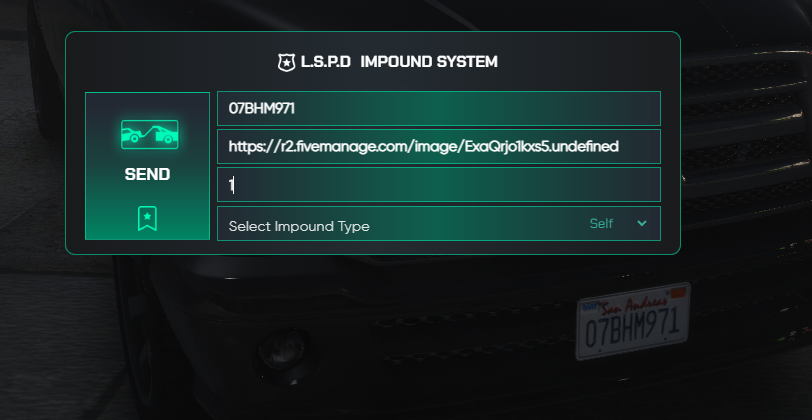
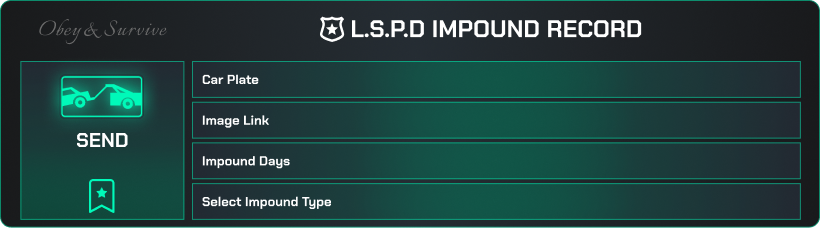
![[God - Crosshair Generator] esx qbcore qbox](http://dunb17ur4ymx4.cloudfront.net/packages/images/0f759c78b17d5a843dca3c89f99eea97519f3c48.png)
€9.90
God - Crosshair Generator | Escrowed
Introducing the Ultimate Crosshair System for FiveM!
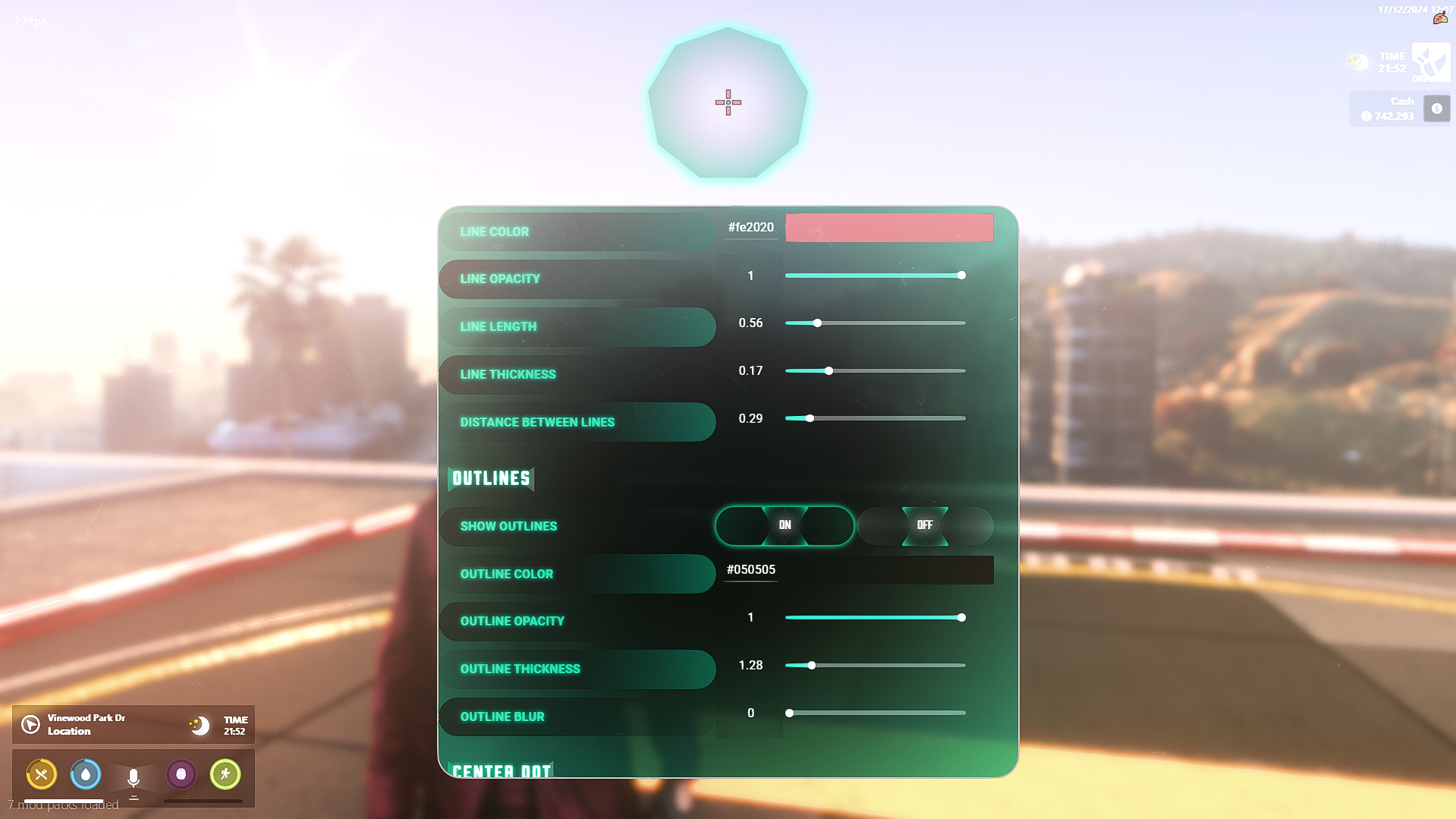
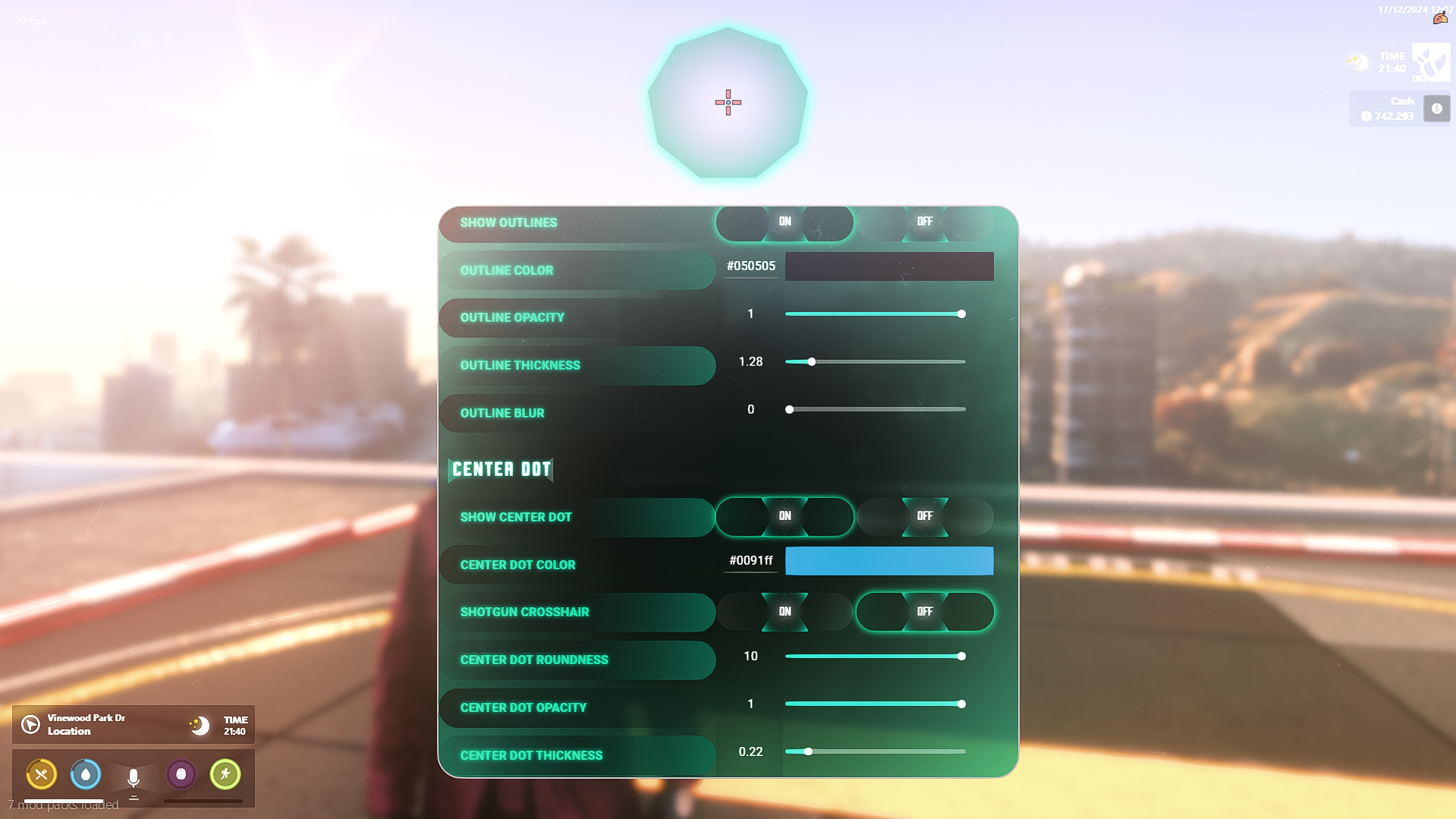
Take your FiveM server to the next level with our Advanced Crosshair System, designed to provide players with a fully customizable and intuitive aiming experience. Whether your community is focused on roleplay, combat, or competitive scenarios, this system is the perfect tool to enhance accuracy, immersion, and gameplay dynamics.
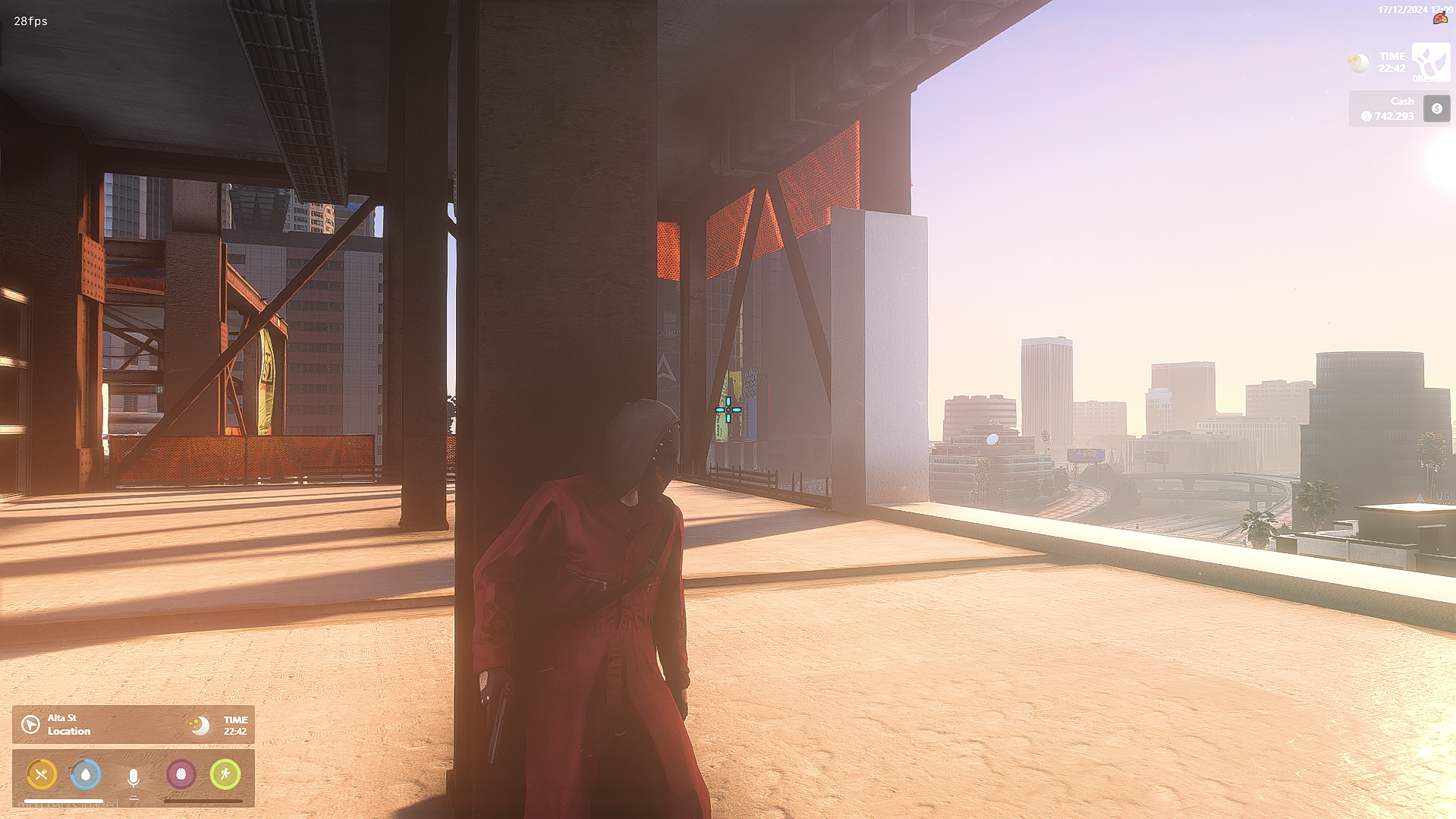
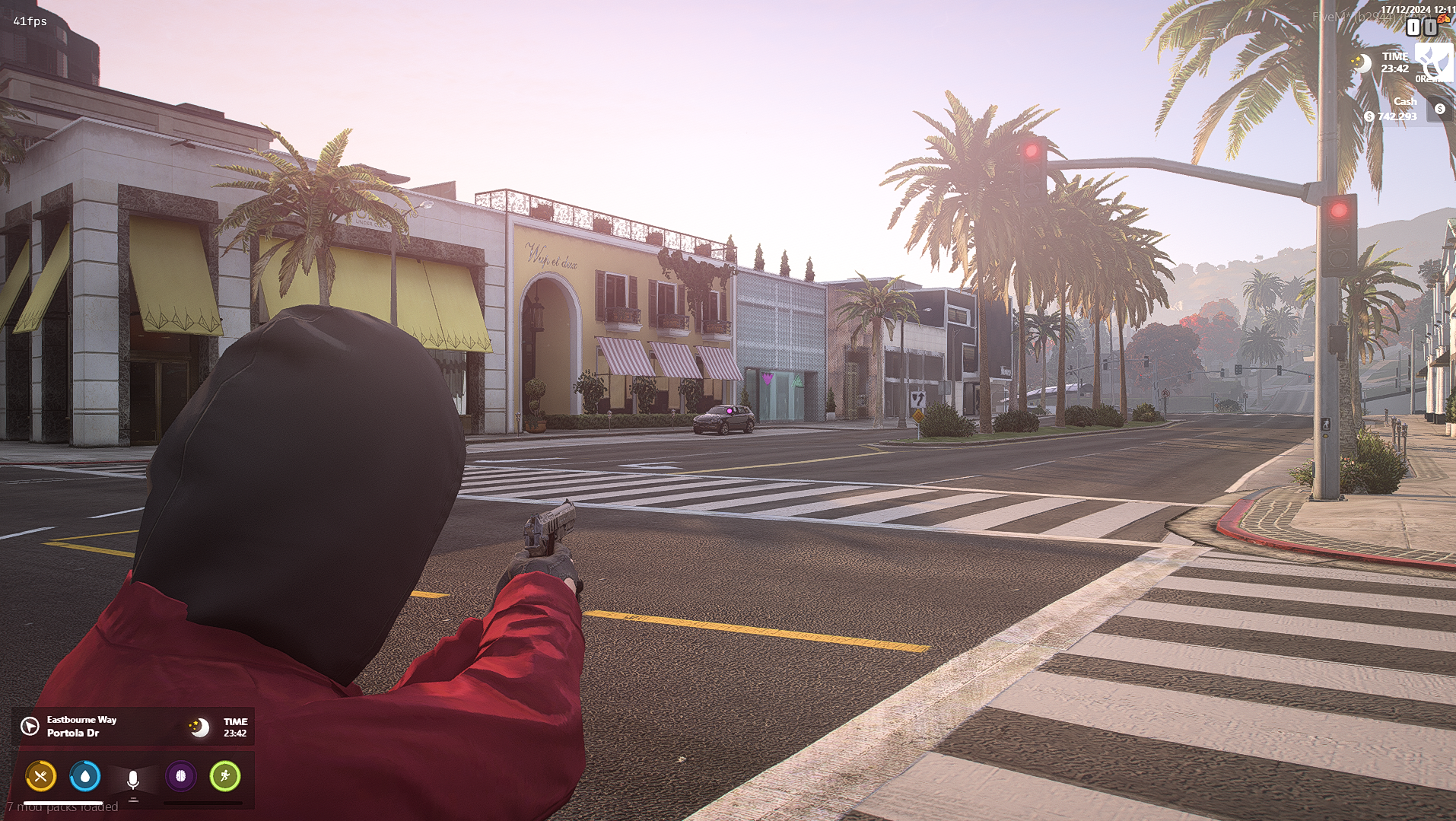
Customizable Crosshairs: Players can choose from a variety of crosshair styles, colors, and sizes to suit their personal preferences and playstyle. Whether they want a minimalistic dot or a tactical reticle, the choice is theirs!
Dynamic Crosshair Scaling: The crosshair dynamically adjusts in size based on player movement, weapon recoil, or sprinting, providing real-time feedback on accuracy and aim control.
Precision Targeting: The system is designed with precision in mind, ensuring that each crosshair is perfectly aligned for headshots, sniping, and long-range combat. Players can fine-tune their aim with pixel-perfect accuracy.
Weapon-Specific Crosshairs: Set different crosshairs for different weapon types. Whether a player is wielding a handgun, sniper rifle, or SMG, the crosshair adapts accordingly for the most efficient aiming experience.
HUD Integration: The crosshair seamlessly integrates with the FiveM HUD, ensuring that it doesn’t interfere with other UI elements, keeping the screen clean and focused.
Easy-to-Use Interface: Our intuitive menu system allows players to quickly customize and preview their crosshairs in real-time. No need to restart or reload—changes are instant!
Performance Optimized: Designed with server performance in mind, the crosshair system runs smoothly without causing any lag or FPS drops, even on larger servers with multiple players.
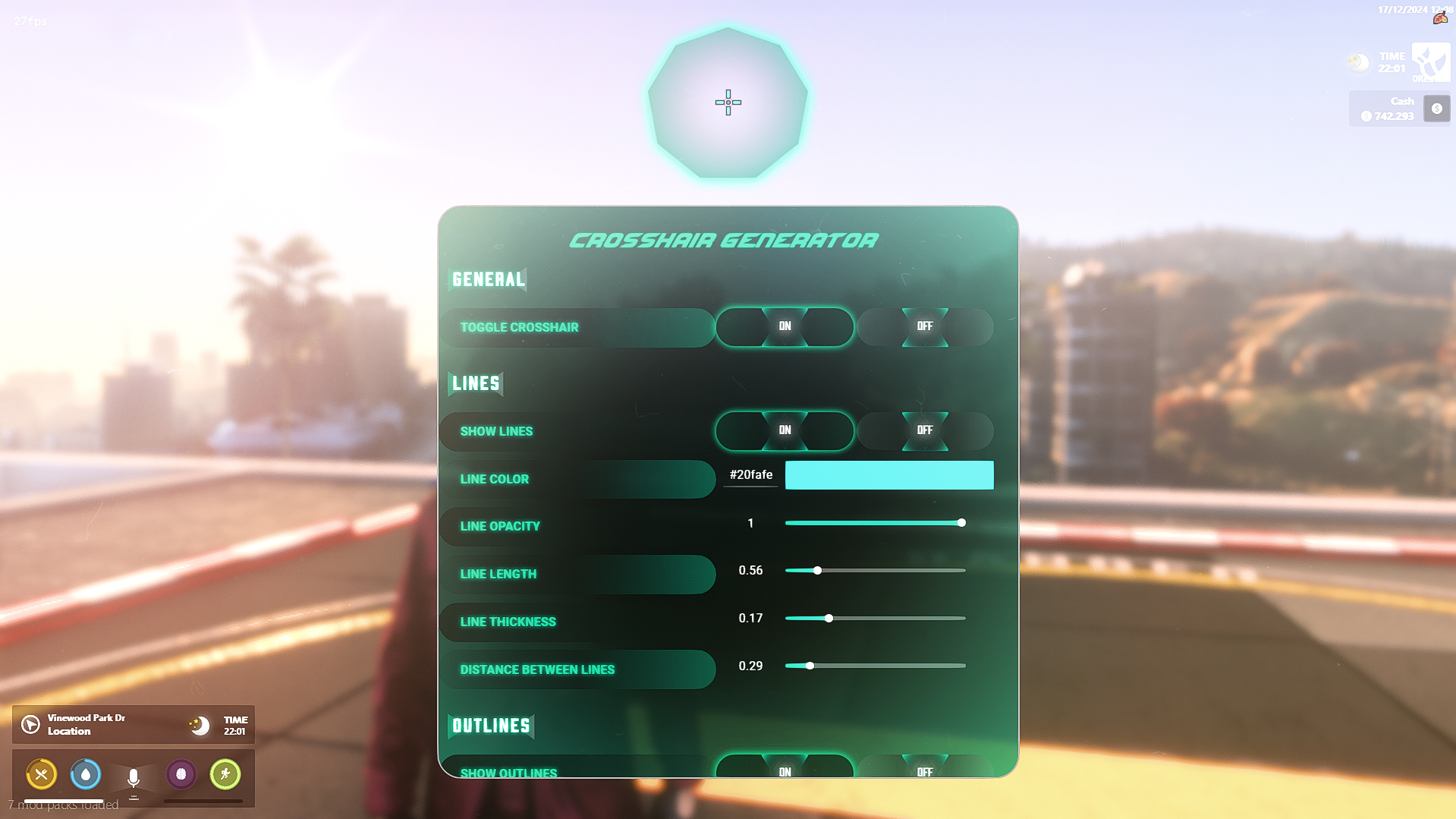
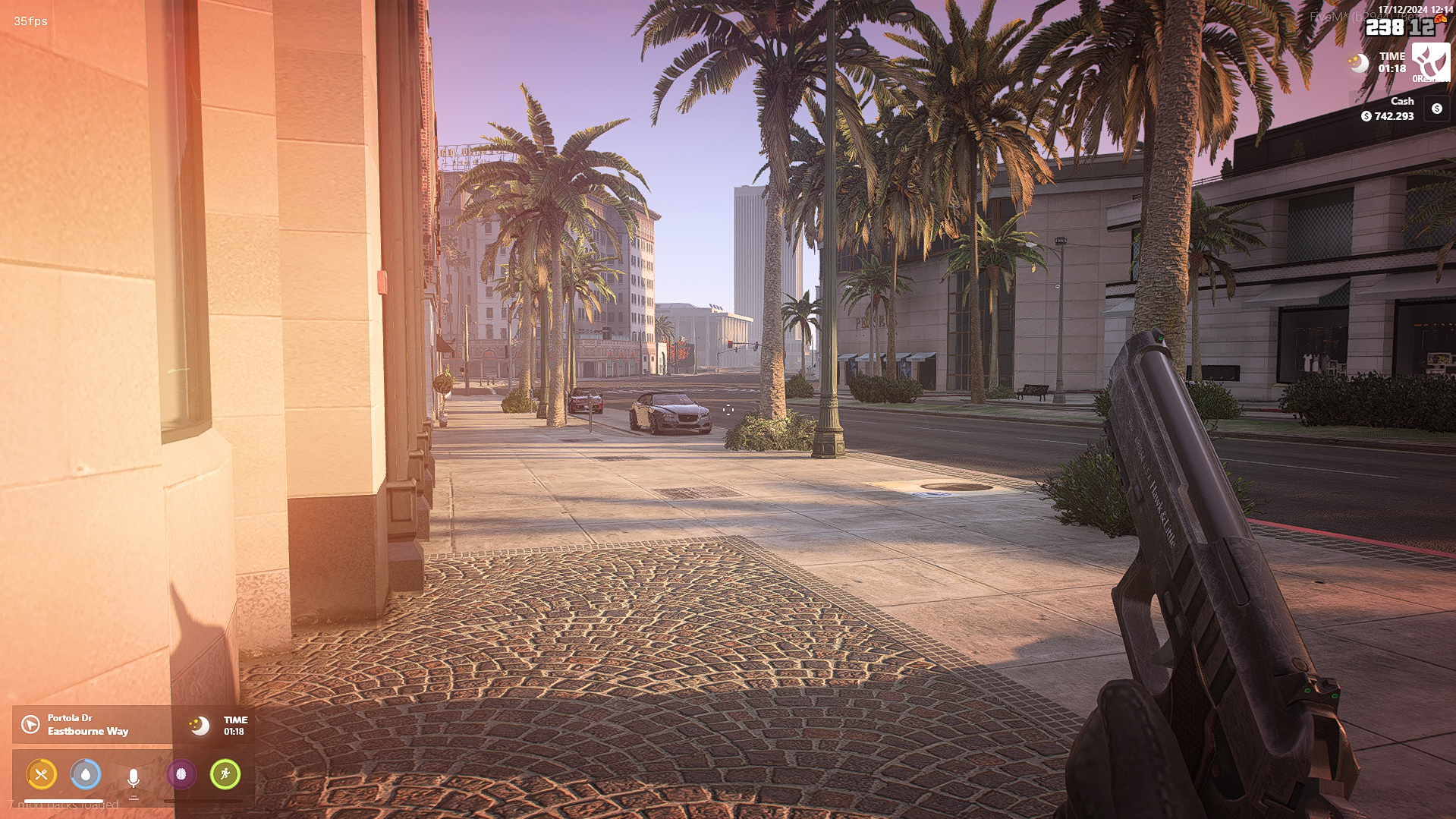
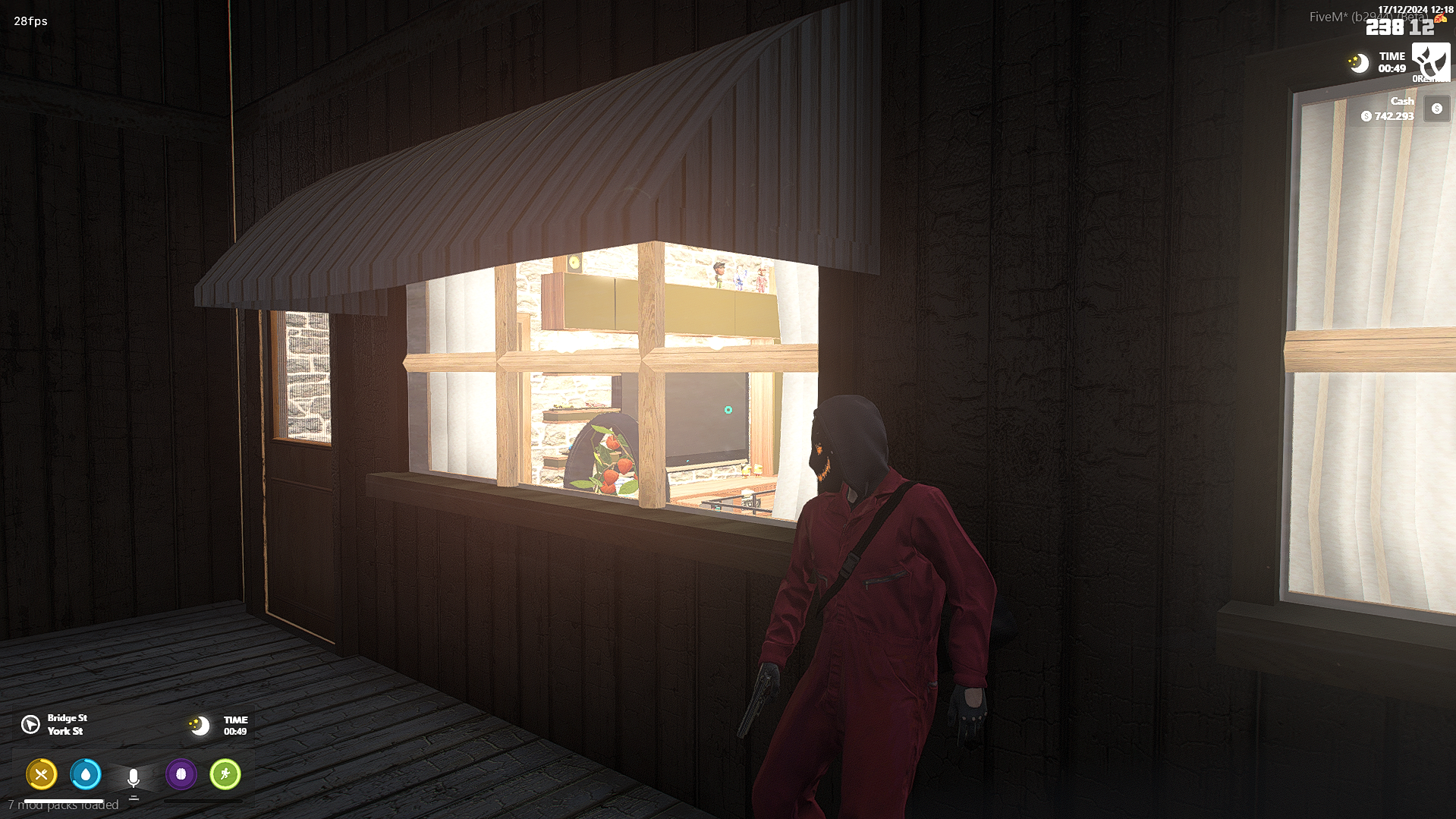
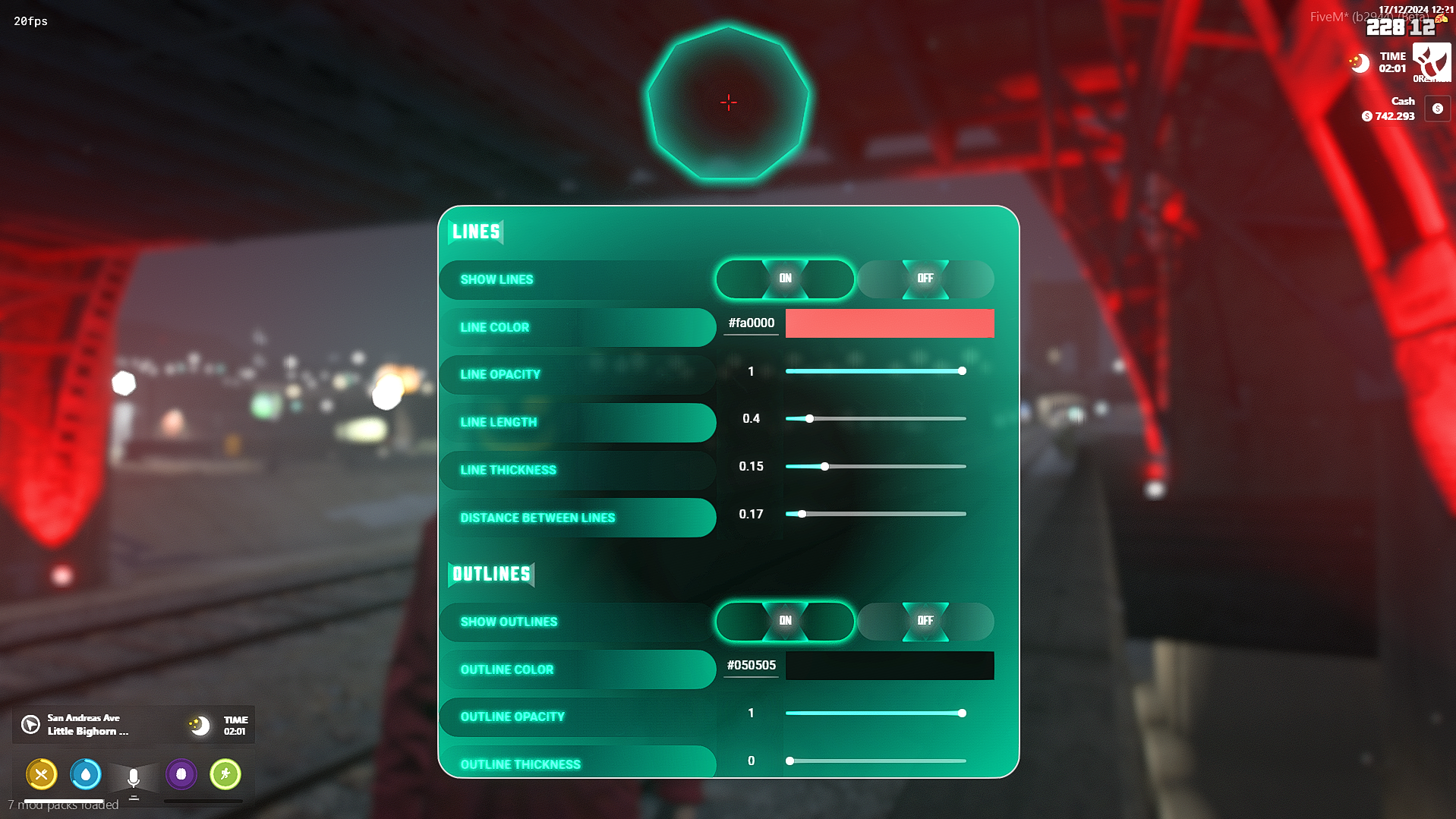
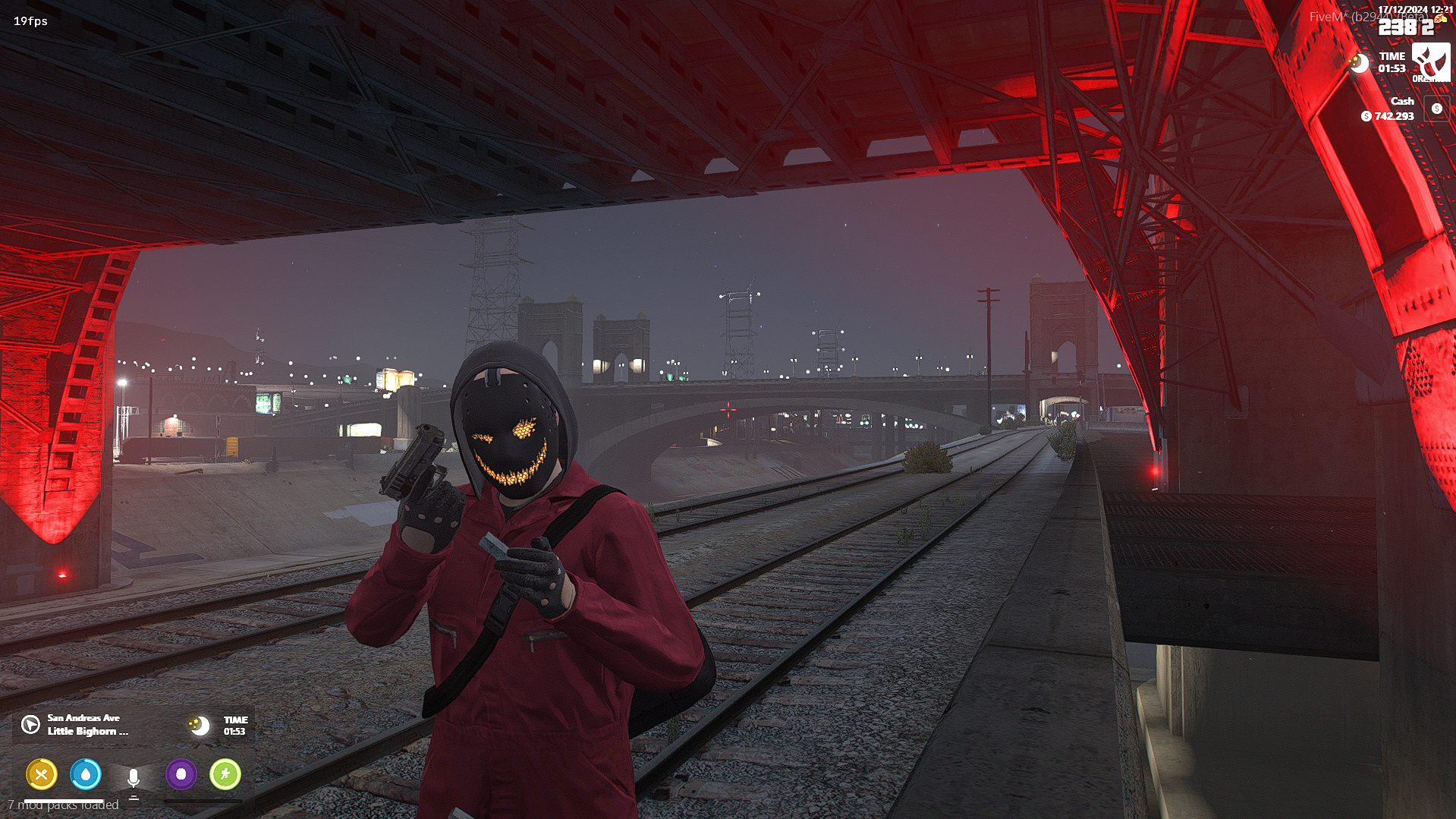
ensure crosshair to your server.cfg
Ready to revolutionize your server’s gameplay? Get started today and bring the ultimate customization to your community!
Gitbook:
Crosshair Generator Script Documentation
Contacts:
Discord
Youtube
![[God - Laser Security System] esx qbcore qbox](http://dunb17ur4ymx4.cloudfront.net/packages/images/813e7b1fe4b1fa02f9e6204e1aabd0aadc725542.png) Beta Access
Beta Access
€9.90
QB-Core | ESX | Qbox
🚨 Upgrade your FiveM server's security! The God - Laser Security System introduces high-tech laser barriers for anti-theft protection, restricted area access, and enhanced roleplay scenarios. Advanced laser detectors instantly detect unauthorized entry, triggering customizable alerts for property owners and law enforcement.
✅ Real-Time Laser Detection – Motion sensors detect and alert instantly.
✅ Dynamic Laser Movement – Lasers can move horizontally and vertically, making security more unpredictable.
✅ Two Security Modes
Self Security: Only the laser owner receives alerts.
PD Security: Both the owner and police receive notifications.
✅ Player Detection & Alert System – Unauthorized entries are logged, and customizable alerts are sent.
✅ Laser Store & Equipment System – Players can purchase three unique items from an NPC:
Laser Self Security – Personal laser security device.
Laser PD Security – Advanced laser that notifies the police.
Laser Remover – Special tool to disable lasers.
✅ Minigame for Laser Disabling – Players must complete a minigame to disable a laser.
✅ Customizable Laser Placements – Deploy lasers anywhere in your server to create fully customized security systems.
✅ OneSync Support – Fully optimized synchronization for a smooth experience across all players.
🔹 Placing Lasers:
1️⃣ Purchase Laser Self Security or Laser PD Security.
2️⃣ Deploy lasers at any desired location.
3️⃣ The system detects unauthorized entry and sends alerts.
🔹 Disabling Lasers:
1️⃣ Acquire a Laser Remover.
2️⃣ Approach the laser area.
3️⃣ Complete the minigame successfully to disable the laser.
You can use the /createLine command to manually create and test lasers in-game.
/createLine → Enables/disables test mode.
E Key → Selects the start and end points.
Open laser creation mode with the /createLine command.
Press the E key while looking at a point on the screen → The start point is determined.
Press E again while looking at a second point → The end point is set.
Save the laser by pressing E again.
✅ Frameworks: QBCore, ESX, Qbox
✅ Inventory Support: ox_inventory, qb-inventory
✅ Targeting Systems: ox_target, qb-target, interact
✅ Fully Configurable: Customize laser types, alert systems, and placements.
📖 Documentation: [GitBook Guide]
📘 How It Works? [GitBook: How It Works]
💻 Usage : [GitBook: Scripts Usage]
🎥 YouTube: [God Studios YouTube Channel]
💬 Discord: [Join the Community]
Maximize security and keep your properties protected! 🚨🔥
![[God - Nail Trap] esx qbcore qbox](http://dunb17ur4ymx4.cloudfront.net/packages/images/04b67bf4f240f7610d4b6b6fd3f4a4c8bafeaaab.png) Beta Access
Beta Access
€9.90
QB-Core | ESX | Qbox
Take your FiveM server to the next level with God - Nail Trap System.
Atactical spike deployment system designed to create intense chases and strategic blockades. Featuring realistic physics, visual effects, and seamless server optimization, this system is a must-have for immersive gameplay.
🔹 Realistic Tire Punctures – If a vehicle runs over at least 3 nails, its tire will burst, adding a strategic element to pursuits.
🔹 Glow Effect for Visibility – Nails are painted with a glow effect, making them visible to players, even in low-light conditions.
🔹 Vehicle Deployment – Throw nails directly from inside a vehicle by rolling down the window, allowing dynamic chase interactions.
🔹 Automatic Cleanup – To ensure performance, deployed nails will automatically despawn after a set duration, preventing resmon spikes.
🔹 OneSync Support – Fully optimized and compatible with OneSync, ensuring smooth synchronization across all players.
1️⃣ Players can deploy spiked nails manually on foot or from inside a vehicle by rolling down the window.
2️⃣ When a vehicle runs over 3 or more nails, the corresponding tire will instantly burst.
3️⃣ The nails remain on the ground for a limited time before despawning to maintain server performance.
4️⃣ The glow effect ensures visibility, preventing unfair gameplay advantages.
5️⃣ To deploy the nails, players must have the required items (nailspackage and screw_nail) in their inventory. Without these items, the deployment will not work.
✅ Frameworks: QBCore, ESX, Qbox
✅ Optimized Performance: Minimal resource usage, auto-despawn system
✅ Inventory Support: Compatible with ox_inventory and qb-inventory (Requires items: nailspackage, screw_nail).
✅ Interaction Methods: Works with ox_target, qb-target, and interact system
✅ Configurable Settings: Easily adjust despawn time, item limits, and glow effect intensity
📖 Documentation: GitBook Guide
🎥 Showcase Video: God Studios YouTube Channel
💬 Community Support: Join our Discord
Enhance tactical gameplay on your server with God - Nail Trap System where every chase becomes a high-stakes battle of wits and strategy! 🚔💥
![[God - Object Theft System] esx qbcore qbox](http://dunb17ur4ymx4.cloudfront.net/packages/images/980025620b6a5c23697584e5a0a0f5b39b7c5581.png) Beta Access
Beta Access
€9.90
QB-Core | ESX | Qbox
Elevate your FiveM roleplay server with the God - Object Theft System a dynamic prop robbery and selling solution designed for immersive heist gameplay. Interact with designated props, steal valuable items, and convert them into cash rewards through an engaging drop-off mechanic.
hackingdevice to initiate the robbery.weapon_hammer for the robbery.qb-target, ox_target, and interact for seamless interactions. Also supports NoPixel-style interaction for an enhanced gameplay experience.The system supports a variety of props organized into categories with preset names and prices:
Initiate a Robbery:
hackingdevice for ATMs, weapon_hammer for all others).Deliver the Stolen Item:
ox_inventory or qb-inventoryox_target or qb-target and interact systemBring a new level of immersion and excitement to your server with the God - Object Theft System.
Where every robbery is a high-stakes adventure!